FFSP and replacement behavior planning
Generate structured behavior-planning drafts with interfering behavior, function, replacement behaviors, supports, and clean printable outputs.
Loading...
Built for special education teachers, behavior specialists, and MTSS teams. The Behave-iator helps you draft the FFSP, save teaching strategies with it, and turn replacement behaviors into lessons or pro units you can revisit over time.
Start with 2 free AI plans each month. Pro unlocks saved-FFSP lesson and unit generation, additional strategy suggestions, aligned HLPs, and full PDF export.
The Behave-iator helps teachers turn student needs into practical plans, concrete strategies, and ready-to-use lesson ideas. Create an account to generate and save plans, or preview the library first to see what’s inside.

Step 1
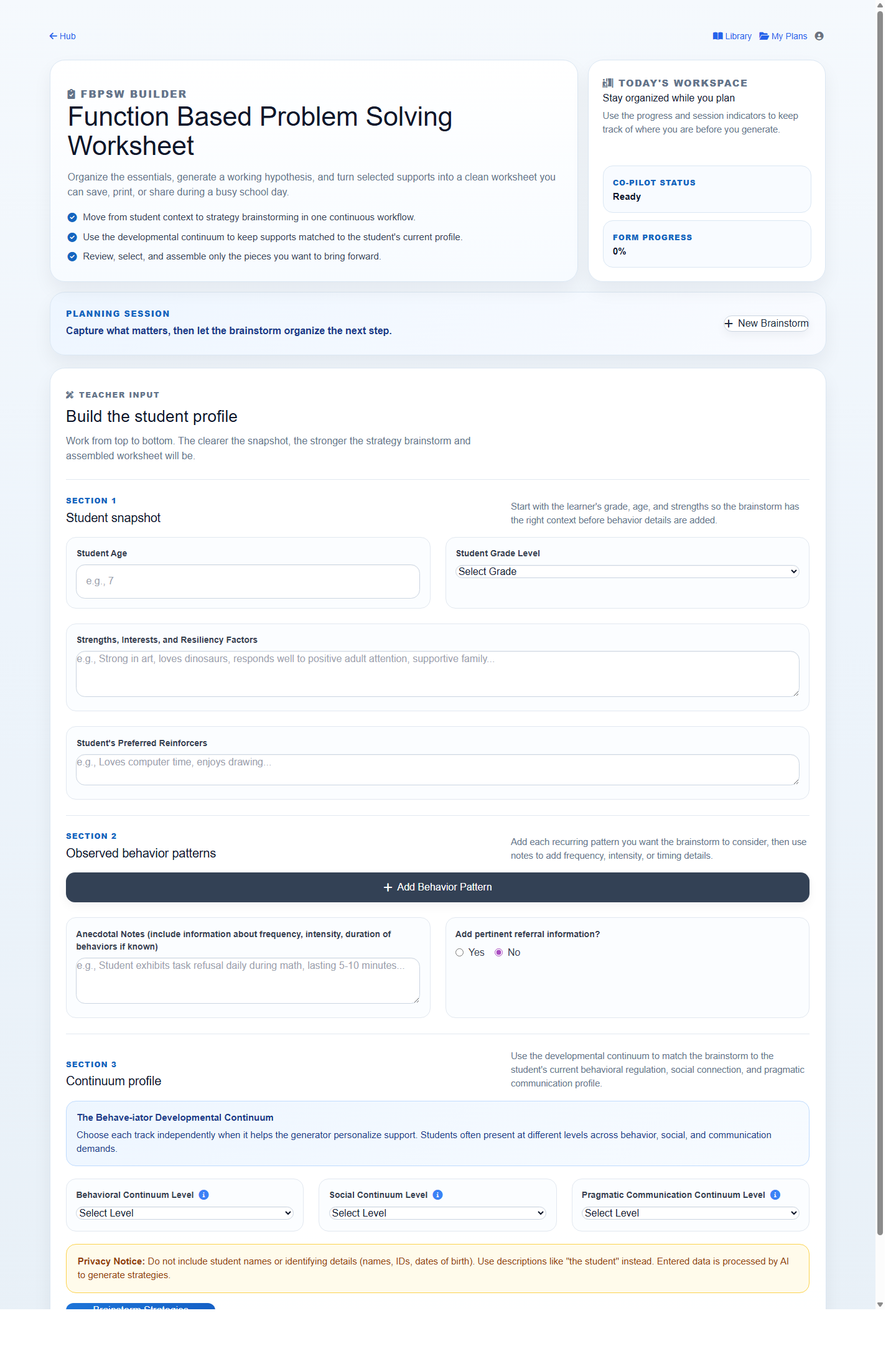
Draft the FFSP so the interfering behavior, function, and replacement behaviors are clear.
Step 2
Select the teaching strategies you want saved with that FFSP for future instruction.
Step 3
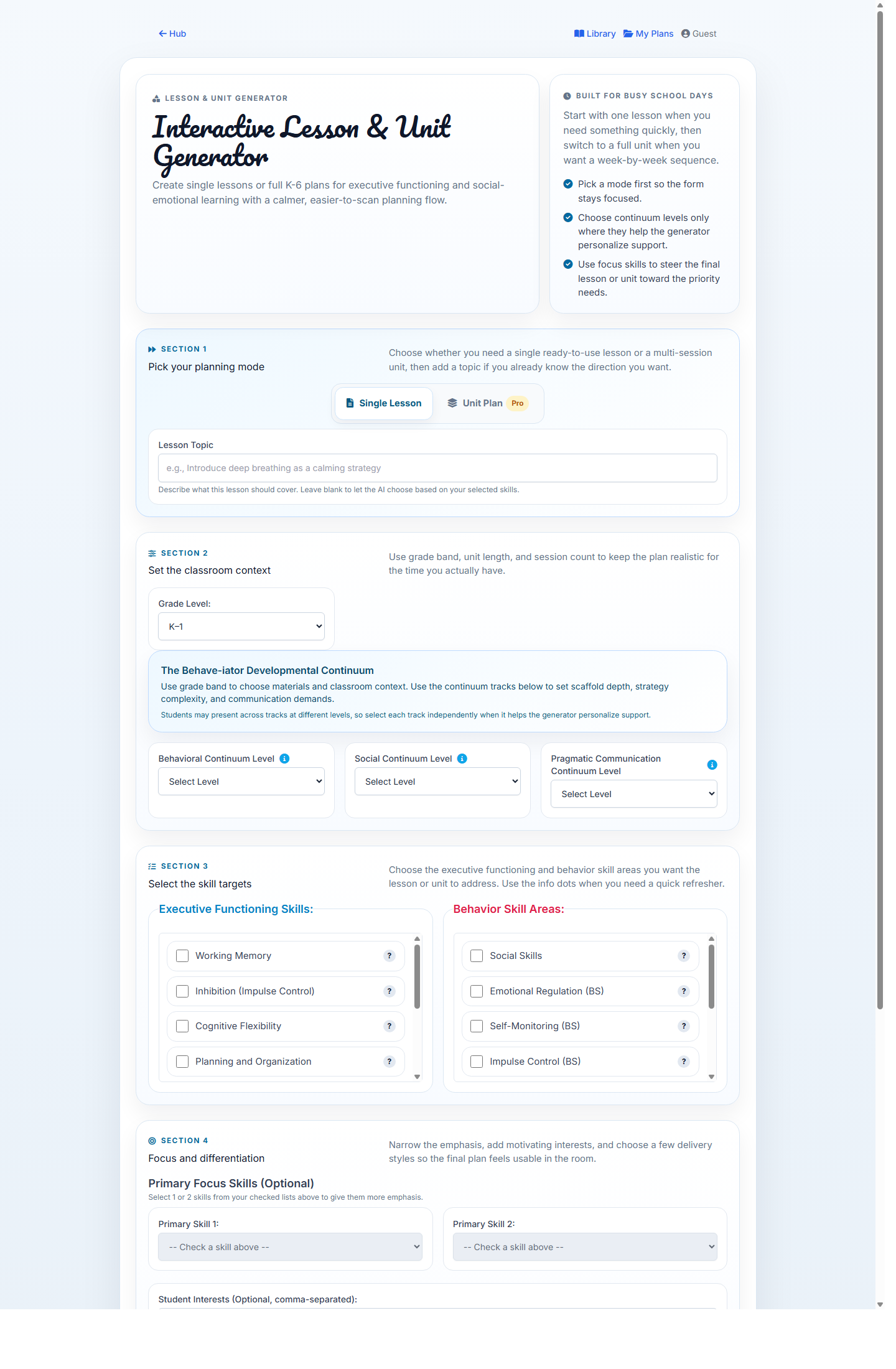
Generate a lesson or pro unit that teaches the selected replacement behaviors using those strategies.
Step 4
Repeat, tweak, and use data review later to decide what to reteach, strengthen, or fade.
Best for turning student behavior patterns into a structured Function Focused Support Plan (FFSP) you can review, revise, and save.
Browse behavior definitions, continuum levels, and evidence-based strategies without creating an account first.
Use the same developmental lens to create classroom lessons and multi-session plans around EF and SEL skills.
Who it is for
What problems it solves
What it does
The FFSP and BIP workflow is the center of the product. Supporting tools help you turn the plan into strategies, instruction, and progress monitoring.
Generate structured behavior-planning drafts with interfering behavior, function, replacement behaviors, supports, and clean printable outputs.
Use the strategy library and the FFSP instruction bridge to choose teaching strategies that stay attached to the plan you saved.
Turn saved replacement behaviors and teaching strategies into instruction, then revisit the cycle over time as you monitor student progress.
See the product
The same behavior plan can move forward into classroom instruction instead of being rebuilt from scratch every time a team needs a new lesson or unit.
Step 1: Build the FFSP
Step 3: Generate instruction from the saved plan
Example output excerpt
FFSP to instruction snapshot
Interfering behavior
Leaving assigned work area during independent writing.
Replacement behavior
Request a brief support check-in or break using the agreed classroom signal.
Selected teaching strategy
Functional communication training paired with immediate reinforcement for using the break request instead of leaving the area.
Plan follow-through
The lesson or unit shows exactly how the teacher models the break request, prompts practice, reinforces use of it, and revisits the same target across sessions.
The plan becomes the anchor. Teachers can repeat, refine, and regenerate instruction from the same replacement behaviors and teaching strategies as the student progresses.
How it works
Start with the interfering behavior, likely function, and replacement behaviors so the support plan has a clear anchor.
Choose the strategy-library matches you want attached to that FFSP so instruction keeps the same implementation logic later.
Free users can generate a lesson. Pro users can build from a saved FFSP, generate a full unit, and get extra strategy suggestions plus aligned HLPs.
Come back to the same behavior goals over time, adjust instruction, and use later data review to decide what the student still needs.
Why this works better
Quick comparison
Generic AI or templates
The Behave-iator
Real classroom use
Scenario 1
They draft the FFSP, select replacement behaviors, choose teaching strategies such as communication training and prompt fading, and save those choices with the plan.
Scenario 2
The teacher opens the generator, selects the saved replacement behaviors, and creates a fresh lesson or unit that shows how to use the saved strategies while suggesting a few more when appropriate.
Simple pricing
Free
Pro
Founder credibility
The Behave-iator is grounded in real behavior-planning work, not just general-purpose AI writing.
The structure reflects the way educators move from an FFSP to strategy selection, instruction, and later data review.
The focus is readable plans, clearer staff language, and tools that fit the pace of school teams.
Start now
Get into the workspace, save the plan, link the teaching strategies, and turn the same behavior goals into usable instruction over time.
Create your free account
Create an account to draft the FFSP, save teaching strategies with it, and come back later to generate lessons or units from the same replacement behaviors.
How it works after you sign in
1. Draft and save the FFSP.
2. Select the teaching strategies you want attached to it.
3. Generate a free lesson or a pro unit from the saved plan.
4. Repeat, tweak, and use data review later to decide what to keep teaching.
Free vs. Pro
Free gets you into the workflow with FFSPs and single lessons. Pro unlocks saved-FFSP generation, unit plans, extra strategy suggestions, aligned HLPs, and deeper plan reuse.